
ActionSense
What you copy, instantly actionable. Copy a URL → open it. Copy a color → preview it. Copy math → calculate it. All at your cursor, no window needed. Native, local, open source.
Free · Open Source (MIT) · macOS 14+ · No account needed
What You Copy, Instantly Actionable
You copy things hundreds of times a day. URLs, colors, email addresses, math expressions, JSON blobs. Every time, you figure out what to do next — open a browser, launch a color picker, paste into a calculator, fire up a formatter.
ActionSense removes that step. It detects what you copied and puts the right action at your cursor. No keyboard shortcut. No window. No context switch.
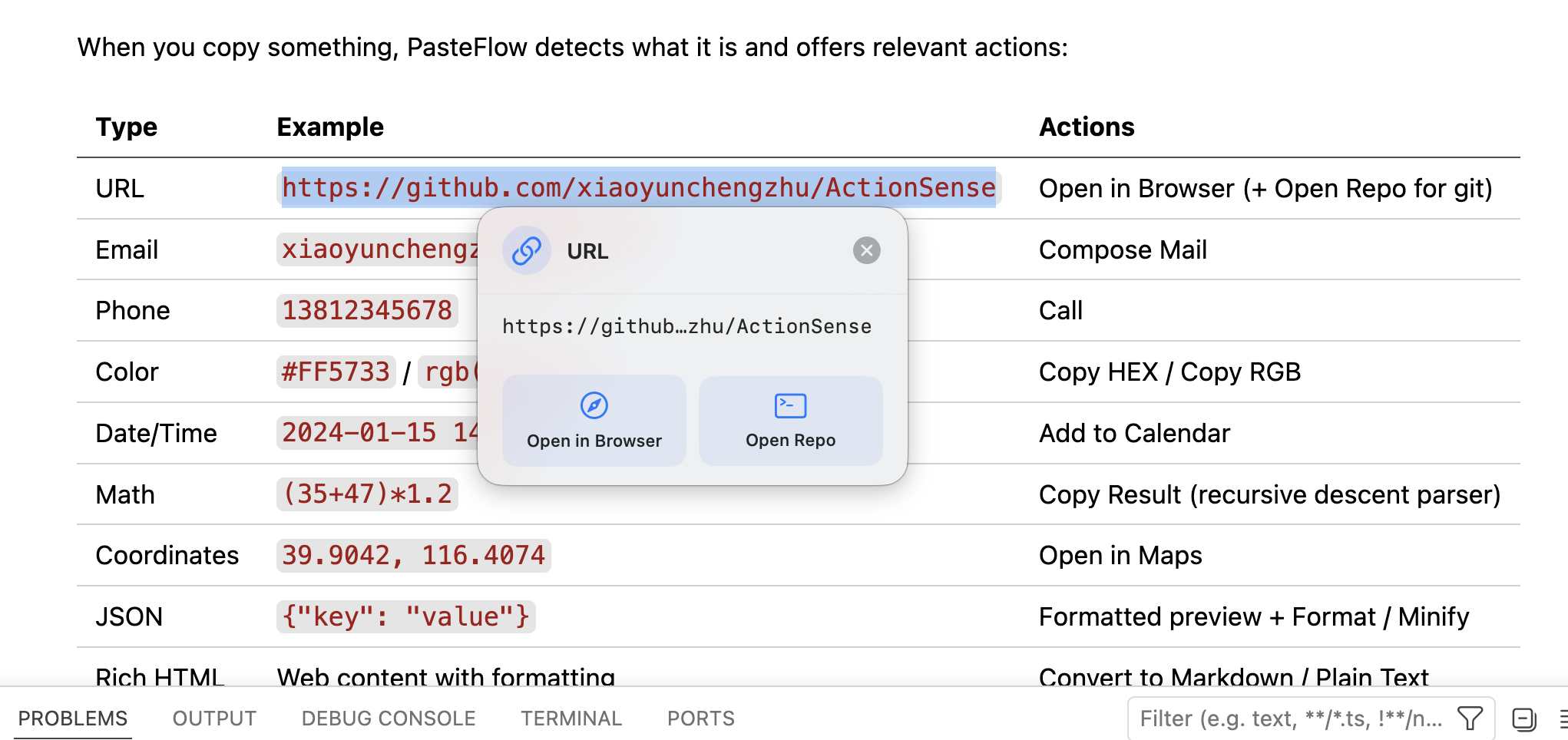
Copy → action appears at your cursor → Enter to trigger.
What It Detects
| You copy | ActionSense shows |
|---|---|
https://github.com/xiaoyunchengzhu | Open in Browser |
#FF5733 | Color preview + Copy HEX / RGB / UIColor |
(35+47)*1.2 | Auto-calculate result |
{"key":"value"} | Format / Minify |
hello@example.com | Compose Email |
39.9042, 116.4074 | Open in Maps |
2026-01-15 14:00 | Add to Calendar |
13812345678 | Call |
| Rich HTML from a webpage | Convert to Markdown / Plain Text |
Plus plain text mode: auto-strips formatting when you just want clean paste.
Why Not Just Use...?
...Maccy? Maccy is a clipboard history viewer. You copy, open Maccy, find the item, double-click. ActionSense skips the window entirely — the action appears at your cursor the moment you copy.
...Paste? Paste is a beautiful history manager with folders and sync. $14.99/year. ActionSense is free, open source, and does a different job: it acts on what you copy now, not what you copied yesterday.
...Raycast or Alfred? Raycast is a launcher. You type a shortcut, search for an action, hit enter. ActionSense works in reverse — it sees what you copied and brings the action to you. No typing, no searching.
...Keyboard Maestro? KM can do this. If you build the macros yourself. ActionSense works out of the box, with zero configuration.
ActionSense is the only tool that brings the action to your cursor. Everything else requires you to go find the tool.
Built with SwiftUI + AppKit. 17 Swift source files. Zero third-party dependencies. All processing local — no data leaves your Mac.
Who Uses It
Developers — Copy a GitHub URL → open it. Copy JSON → format it. Copy an error message → diagnose it (coming in Pro). Zero keystrokes between copy and action.
Designers — Copy a hex color from anywhere → instant preview + copy in whatever format you need: HEX, RGB, UIColor, SwiftUI Color, CSS hex.
Writers — Copy rich text from a webpage → paste clean markdown into your editor. Copy a paragraph → translate, summarize, or improve (Pro).
Anyone who copies URLs, colors, or math — which is everyone.
Intent History
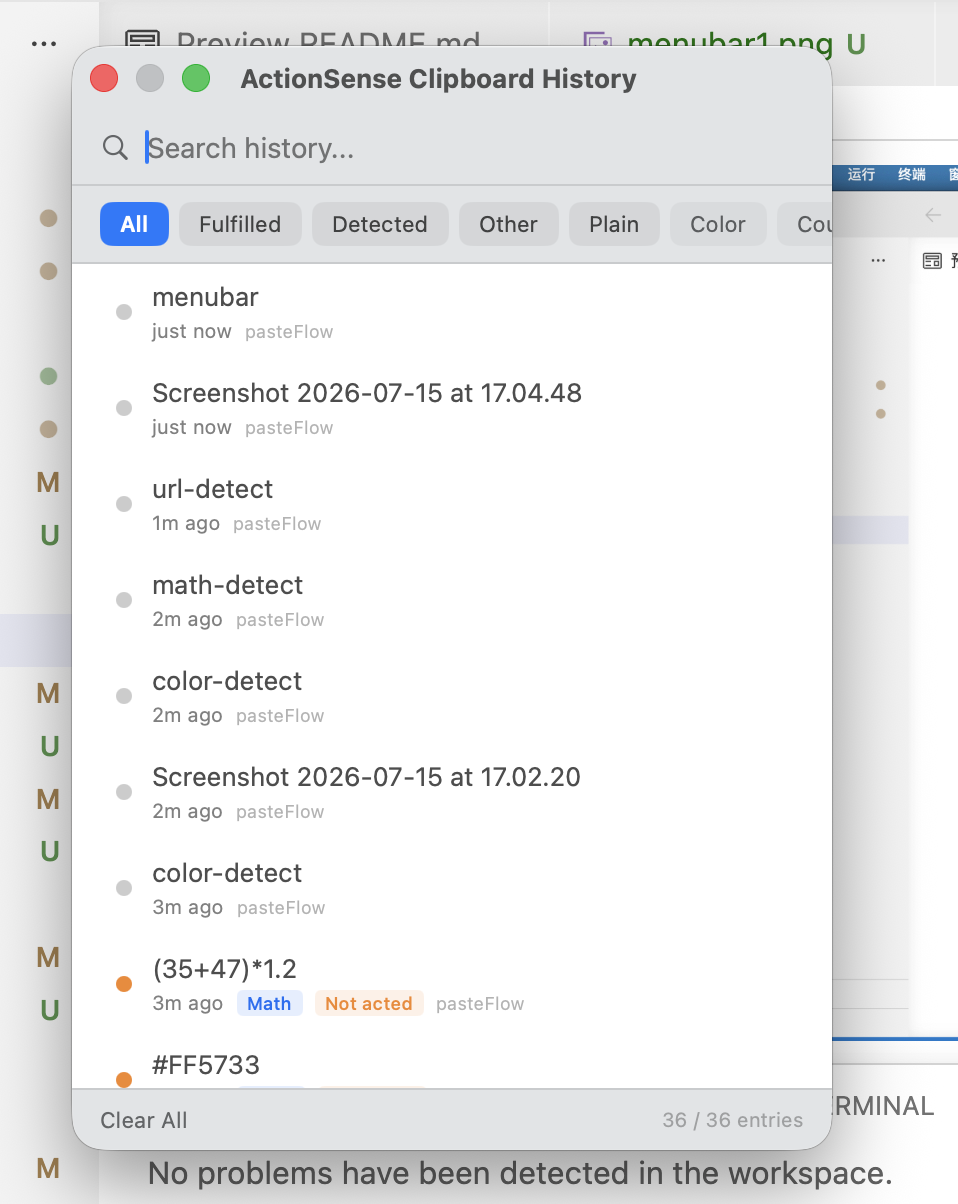
Clipboard history tells you what you copied. ActionSense tells you what you did with it.
- 🟢 Copied URL → opened browser
- 🟠 Copied color → previewed but didn't convert
- ⚪ Plain text → auto-cleaned formatting
Filter by type, mode, or keyword. Up to 5,000 entries. Stored locally.
Zero Dependencies, Zero Data Collection
SwiftUI + AppKit + MenuBarExtra + NSPasteboard + Combine
No CocoaPods. No SPM packages. No backend. No analytics. Your clipboard never leaves your Mac. Source code is public and auditable.
Tips
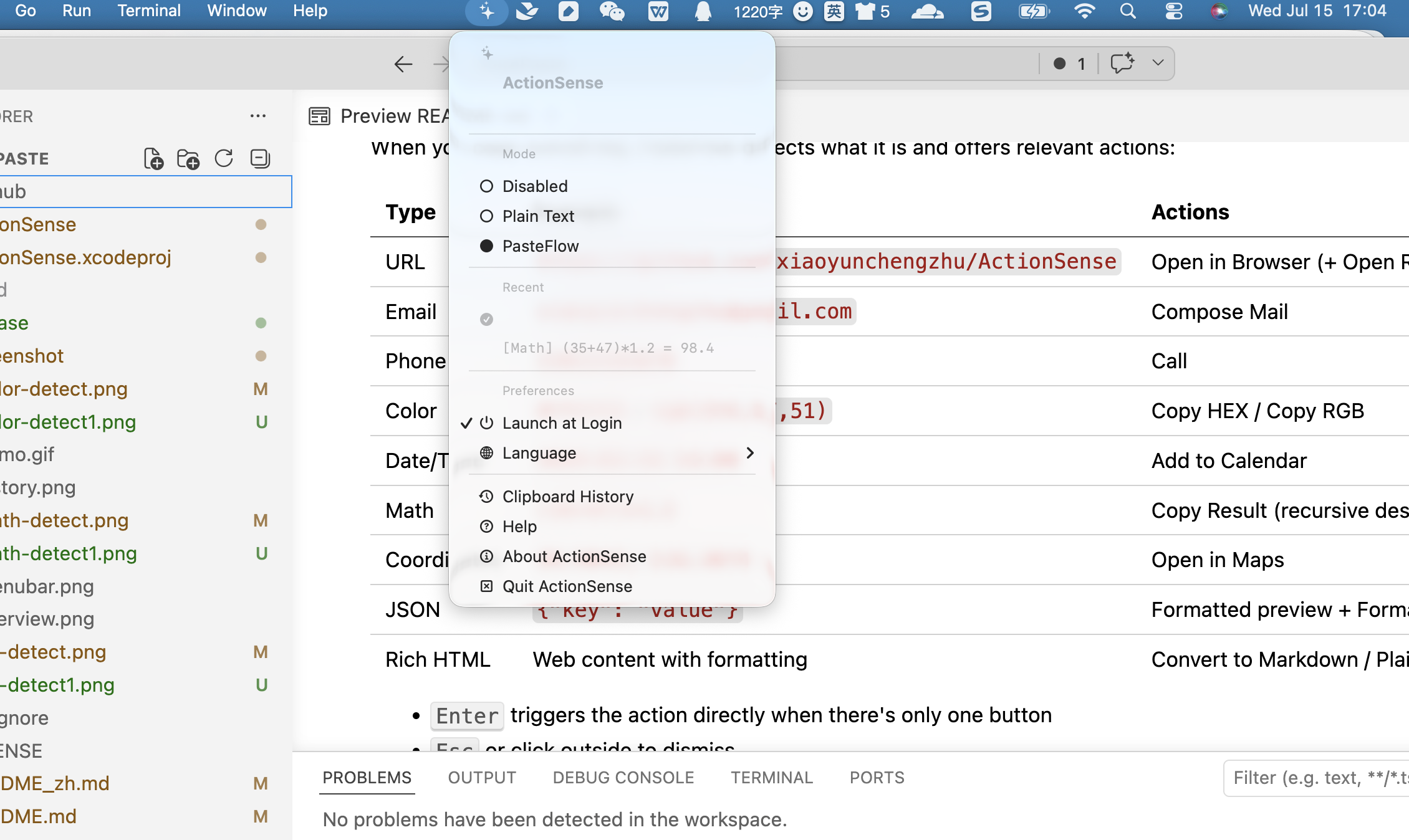
Right-click the menu bar icon to toggle between Plain Text Mode and PasteFlow Mode anytime.
FAQ
Is it free?
Yes. MIT licensed. Free, open source, no in-app purchases. A Pro version with AI Actions and an Advanced Action Builder is planned for late 2026. The core detection engine stays free forever.
Does it collect data?
No. No backend, no analytics SDK, no network calls. Clipboard content, history, detection results — everything stays on your Mac.
What macOS version?
macOS 14.0+. Xcode 15.0+ if building from source.
How is this different from Maccy?
Maccy shows you what you copied. ActionSense shows you what you can do with what you copied. They work great together — Maccy for history, ActionSense for instant actions.
How is this different from Raycast?
Raycast is a launcher. You go to it. ActionSense works the other way — it comes to you at your cursor, no shortcut, no search. Think of it as the opposite interaction model.
Can I add my own actions?
Not yet. Custom Actions and an Advanced Action Builder are planned for the Pro version. If you have ideas for built-in detectors you'd like to see, open an issue on GitHub.
Can I contribute?
PRs welcome on GitHub.
You Might Also Like
ActionSense
What you copy, instantly actionable. Copy a URL → open it. Copy a color → preview it. Copy math → calculate it. All at your cursor, no window needed. Native, local, open source.
Download for macOS